
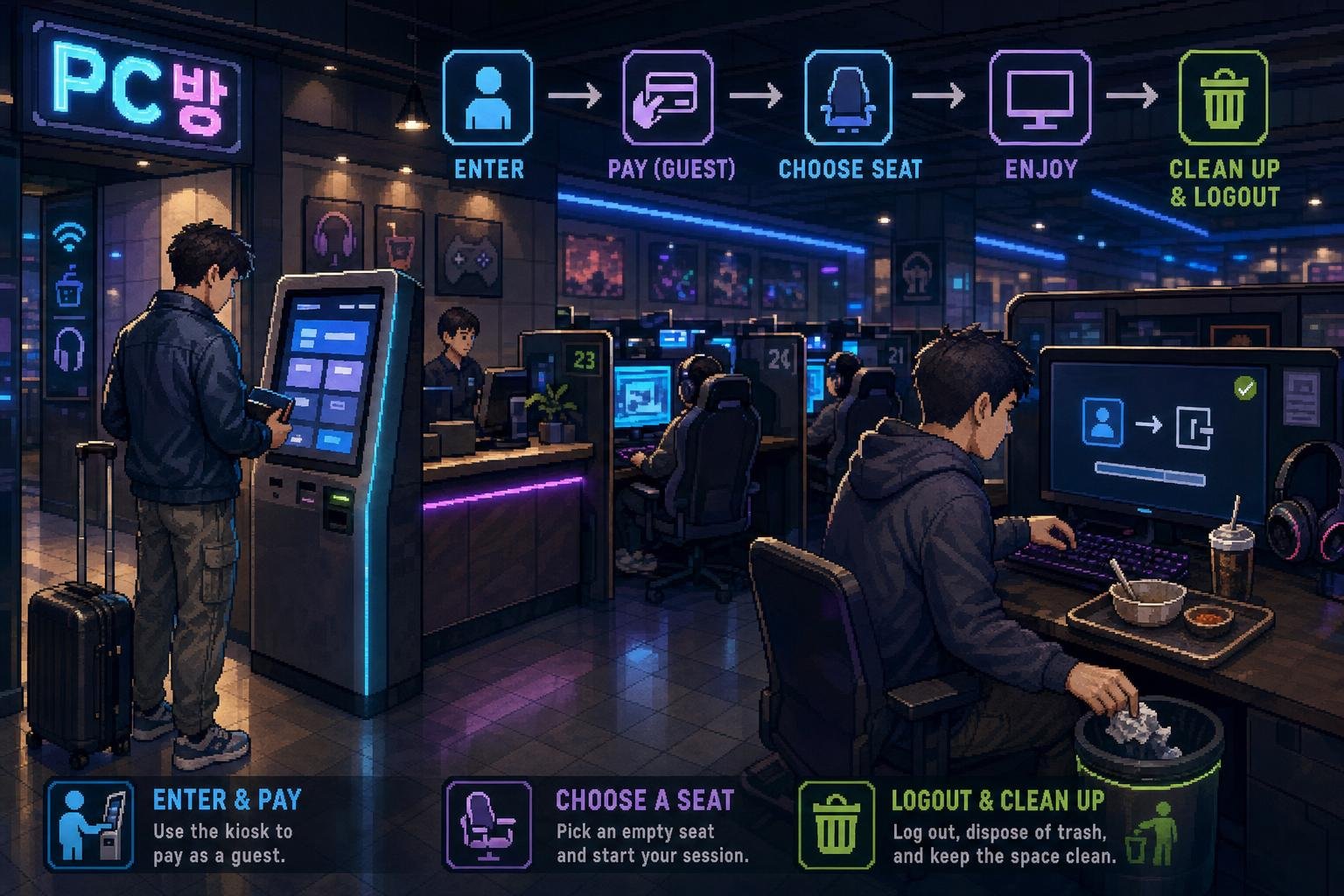
A PC bang, written PC방 in Korean, is a gaming-focused internet café. You do not normally need a reservation, Korean ID, or a local membership just to enter. The confusing part for visitors is usually the first five minutes: choosing guest access, paying for time, finding the correct seat, and understanding what requires a separate game account.
This guide focuses on using an ordinary PC bang as a short-term visitor—not on joining a Korean gaming service or setting up a long-term membership.
At a glance
| What you want to do | What to choose or prepare | Important note |
|---|---|---|
| Use a computer for a short time | Choose 비회원 or 게스트 | Guest access is usually the simplest option for visitors. |
| Pay for computer time | Use the entrance kiosk, a payment terminal, or the counter | Cash and Korean cards are common; overseas cards depend on the branch. |
| Play your own game | Bring your existing game login details | PC access and game-account access are separate issues. |
| Order food or drinks | Use the food-ordering menu on the PC | Menus may be in Korean, and payment may be added to your seat account. |
| Use a PC without a Korean phone number | Ask for guest or prepaid access | Some branches may still require local verification through their kiosk. |
PC rooms are commonly open for long hours, and many operate 24 hours, but opening hours are still a branch-level detail. Check the listing or entrance sign before making plans around a specific location. VISITKOREA also describes PC rooms as places where visitors can access the internet, while noting that many are open 24 hours.
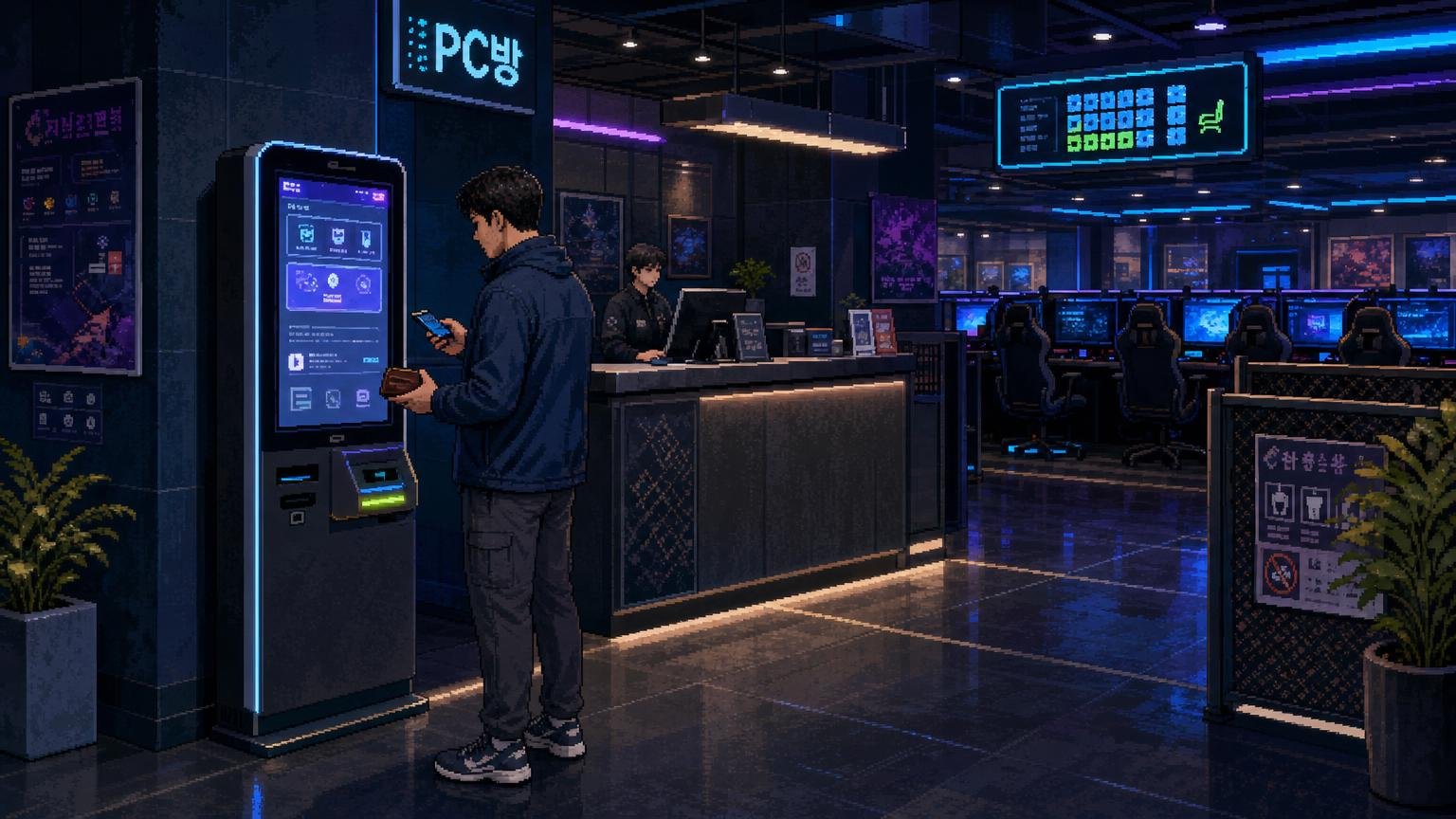
How to enter a PC bang
1. Find the entrance and look for the payment area
PC bangs are often located on an upper floor or in a basement. Look for the Korean sign PC방. Near the entrance, you may see a staffed counter, a self-service payment kiosk, or both.
2. Choose a guest option
On a kiosk or computer login screen, look for:
- 회원 — member
- 비회원 — non-member
- 게스트 — guest
- 로그인 — log in
For a short visit, choose 비회원 or 게스트 if available. Do not create a membership simply because the first screen is in Korean.
3. Select the amount of time
Choose a short block of time if you are only curious about the experience. The price is normally calculated by computer time, but the exact rate can differ according to the branch, time of day, membership status, seat type, or current promotion.
If the screen shows several packages, choose the basic computer-use option rather than a long-term membership or game-specific package.
4. Note the seat number or access code
After payment, the kiosk may assign a seat, print a short code, or give you instructions for logging into a computer. Some branches let you choose any available seat; others assign one automatically.
If you are unsure, show the receipt to the employee and say:
자리 어디예요?
Jari eodiyeyo?
“Which seat is it?”
How payment works for foreigners
Cash
Korean won is the safest backup for a PC bang. If the kiosk rejects your overseas card or asks for a Korean phone number, pay at the counter if staff are present. Keep the receipt until you have confirmed that the computer time has started.
Card
Some branches accept cards at the kiosk or counter, but you should not assume that every foreign Visa or Mastercard will work. The terminal may require a Korean-issued card, a local verification step, or a payment method that the machine cannot process with an overseas card.
If the screen shows a card icon but your card fails, try the staffed counter rather than repeatedly entering the payment. You can ask:
- 외국 카드 돼요? — Does a foreign card work?
- 현금으로 결제할게요. — I will pay in cash.
- 비회원으로 사용할 수 있어요? — Can I use it as a non-member?
Mobile payment and QR payment
Do not rely on a Korean mobile wallet unless you already have a compatible Korean payment setup. A foreign phone, overseas card, or international wallet may not connect to the PC bang’s local payment system. Ask the branch which options are available before selecting a long package.
Do you need a Korean phone number?
Not necessarily. Basic guest access may let you pay for computer time without creating a local account. However, procedures are not identical everywhere. An unmanned kiosk may be designed mainly for registered users, or it may ask for a Korean mobile number during payment or membership registration.
If the kiosk blocks you, go to the counter and explain that you are a foreign visitor who only needs temporary access. Try:
한국 전화번호가 없어요. 비회원으로 이용하고 싶어요.
Hanguk jeonhwabeonhoga eopseoyo. Bihweon-euro iyonghago sipeoyo.
“I do not have a Korean phone number. I would like to use it as a non-member.”
Whether the staff can provide an alternative depends on the branch’s payment and seat-management system. If there is no staffed alternative and the kiosk requires local verification, choose another PC bang rather than trying to enter inaccurate information.
Using the computer
After you sit down, the desktop and launcher may be mostly in Korean. You can still use a browser, Steam, cloud services, office tools, or other programs if they are installed and permitted on that computer.
- Log in with your own accounts rather than asking to use another customer’s account.
- Use two-factor authentication carefully, especially if the verification code goes to your home-country phone.
- Do not save passwords in the browser.
- Check that you are using the correct seat number if you move computers.
- Do not install unknown software or change system settings without permission.
A PC bang may provide special in-game benefits for selected games, but this does not mean every game can be played without an account. Korean game services may also have separate age, region, or identity-verification rules. For a short visit, using an existing international account on a service such as Steam may be simpler than trying to create a new Korean game account.
Ordering food and drinks
Many PC bangs sell snacks, drinks, instant noodles, fried food, and simple meals. The ordering button may appear as a small food icon or as a Korean menu on the desktop. Staff usually bring the order to your seat.
Before ordering, check whether the price is charged to your PC bang balance or whether you must pay separately. If the menu is difficult to understand, use a translation app to identify the main categories, or ask staff:
이거 주문하려면 어떻게 해요?
Igeo jumunharyeomyeon eotteoke haeyo?
“How do I order this?”
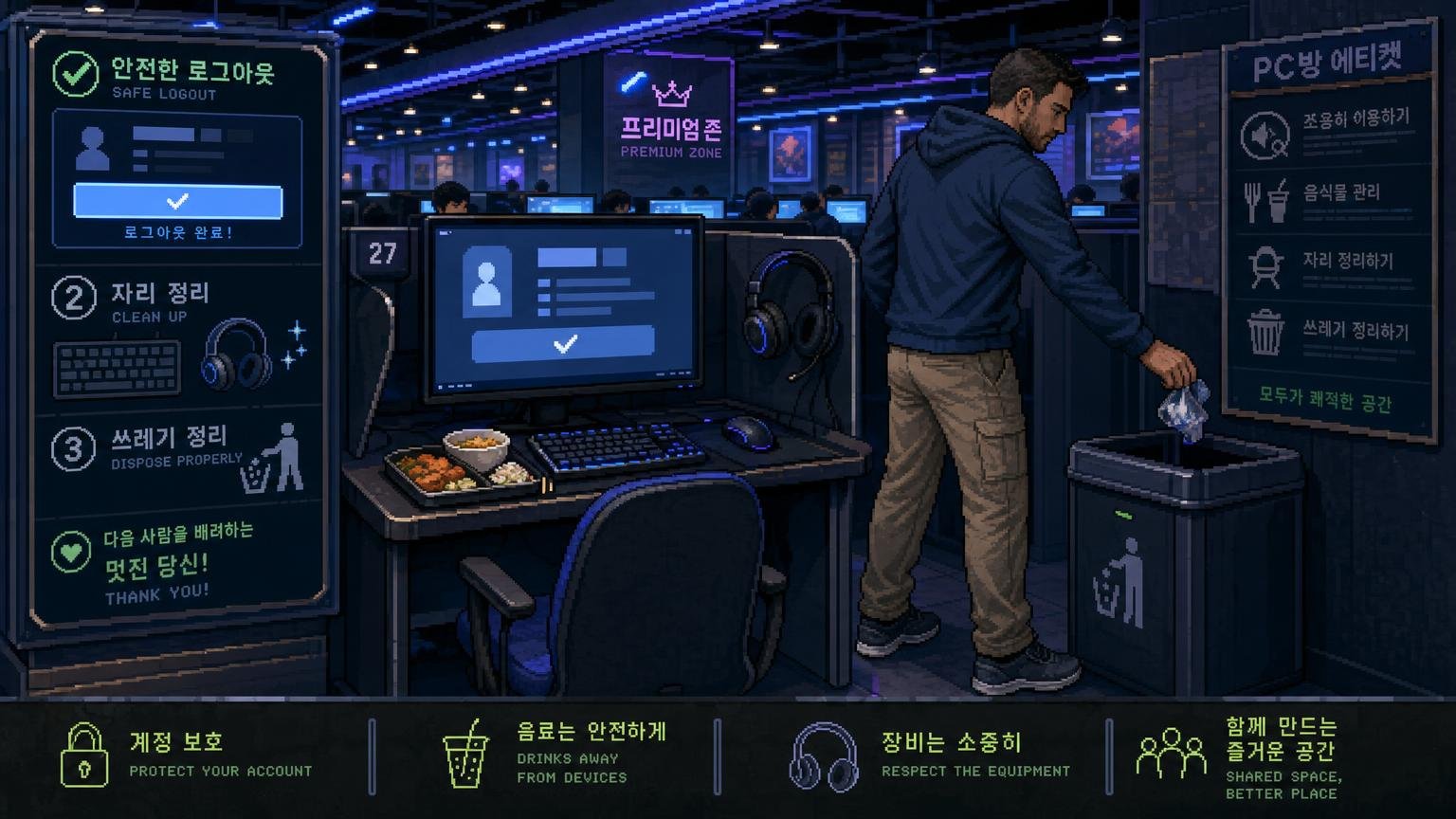
Keep drinks away from the keyboard and use the provided tray or space beside the monitor. Do not leave food waste on the desk when you leave.
PC bang etiquette for visitors
Keep your voice and volume controlled
PC bangs can be lively, especially during multiplayer games, but avoid shouting across the room or holding loud phone calls beside other players. Use headphones when possible and keep game volume at a reasonable level.
Use only your own seat
Do not move to a different computer without updating the seat assignment or asking staff. Do not place bags, coats, or food on an empty neighboring seat when the room is busy.
Leave the workstation clean
Throw away cups, wrappers, and food containers in the correct bin. Wipe up spills immediately and tell staff if the keyboard, mouse, or monitor becomes wet or stops working.
Respect privacy and account security
Do not look at another player’s screen, photograph people without permission, or use someone else’s login. Before leaving, sign out of every account, close private browser tabs, and check that no payment information remains saved.
Follow the branch’s rules
Some branches have different rules for food, smoking, age restrictions, seat changes, or overnight use. Follow the posted instructions even if another branch operates differently.
Which approach is best for different travelers?
- First-time visitor who only wants to look around: Choose a short guest session and pay at the counter if the kiosk is confusing.
- Traveler with no Korean phone number: Ask for non-member or prepaid access before entering payment details.
- Traveler carrying only an overseas card: Try the card at the counter, but keep Korean cash as a backup.
- Serious gamer: Prepare your own account, two-factor authentication method, and headphones. Check regional login restrictions before you arrive.
- Traveler who needs a quiet place to work: A PC bang can provide a computer and internet access, but it may be noisy and game-focused. A hotel business area, library, or coworking space may be more suitable for calls.
Common problems and quick fixes
The kiosk asks for a Korean phone number
Look for 비회원 or ask staff for temporary access. If no guest route exists, the branch may not be convenient for short-term foreign visitors.
Your foreign card is declined
Ask whether the counter accepts an overseas card. If not, use Korean cash or try another branch. Do not assume that a card terminal displaying a Visa or Mastercard logo will accept every foreign-issued card.
You paid but the computer will not unlock
Check the receipt for a seat number or access code. If the payment was made at a kiosk, show the receipt to staff and ask them to activate the session. Avoid paying again until the first transaction has been checked.
The game asks for identity verification
This is usually a game-account issue, not a PC bang entry issue. Try a game account you already own, use a browser-based service, or choose another activity. Staff may not be able to bypass a publisher’s account-verification policy.
You are unsure how to log out
Close your game and browser sessions, sign out of email and messaging services, and ask staff to end the computer session if the timer continues running. Never leave an active account on the screen.
FAQ
Can tourists enter a Korean PC bang?
Yes, visitors can generally enter and pay for computer time. You do not normally need a Korean ID simply to walk in, but branch procedures can differ.
Can I use a PC bang without joining?
Often, yes. Look for 비회원 or 게스트. If the kiosk only offers membership registration, ask staff whether temporary prepaid access is available.
Can I pay with a foreign credit card?
Sometimes, but it is not guaranteed. Card acceptance depends on the branch’s terminal and payment setup. Korean cash is the most useful backup.
Do I need a Korean phone number?
Not always for guest computer access. A Korean number may be requested for membership registration, unmanned payment, or certain game services.
Can I bring my own laptop?
Do not assume that a PC bang provides a suitable desk, network connection, or permission for personal laptops. Ask the branch first. PC bangs are normally designed around their own desktop computers.
Can I use a PC bang just to browse the internet?
Usually, the computer-use system is not limited to gaming. You can ask staff whether ordinary browsing or another permitted task is acceptable, especially if you need to use external software or connect personal equipment.
Should I reserve a seat?
Short-term visitors usually walk in and use the payment or seat system at the branch. Reservation rules, if any, are location-specific, so check directly with a themed or premium venue.
Official Information
- VISITKOREA: Electricity & Communications — general information about internet access and PC rooms in Korea.